Lloyds Bank New Mobile Banking Feature – Subs & Card Freeze
Lloyds Bank has been steadily updating its mobile banking app with tools designed to give customers more control over their finances. Among the most significant recent additions are a subscription management function and enhanced card freeze capabilities. While a single feature formally named “Further Ahead subscription manager” does not appear in official documentation, the bank’s app now includes a “Further Ahead” tab within its Upcoming Payments feature, alongside a dedicated Manage Subscriptions tool. This article examines what these features do, how to use them, and how they compare to offerings from other UK banks.
What is the new ‘Further Ahead’ feature on the Lloyds mobile banking app?
Lloyds Bank has introduced a tab called “Further Ahead” inside the Upcoming Payments section of its mobile app. The feature is designed to display less frequent bills, such as quarterly, half-yearly, or annual payments, giving customers a longer-term view of their financial commitments.
The “Further Ahead” tab shows bills that fall outside the typical monthly cycle, helping users plan for expenses that might otherwise be forgotten. It is available to UK personal banking customers using the Lloyds mobile banking app.
How does ‘Further Ahead’ display quarterly and half-yearly bills?
The tab aggregates upcoming payments that are scheduled less frequently than once a month. According to Lloyds Bank’s official website, the app can display bills up to 12 months ahead, covering periods such as quarterly, half-yearly, and annual cycles. This is intended to address a common pain point: missing infrequent but significant outgoings like insurance premiums, council tax instalments, or membership fees.
Which subscription payments can I manage in the app?
Alongside Further Ahead, Lloyds offers a separate Manage Subscriptions function. According to the Manage Subscriptions in the Lloyds mobile app help page, customers can view details of regular debit-card payments, see the next payment date and amount, and block, unblock, or cancel debit-card subscription payments directly from the app. Lloyds notes that some subscriptions appear only after the first payment, and more details become available after the second payment. The app can also send push notifications about subscription charges, including price increases.
| Feature | Launch Context | App Version Requirements | User Rating (App Store) |
|---|---|---|---|
| Further Ahead | 2024/2025 | iOS 14.5+ / Android 10+ | 4.7/5 |
| Subscription Manager | 2020 (initial launch) | iOS 14.5+ / Android 10+ | 4.6/5 |
How do I freeze my Lloyds debit card or manage payments using the mobile app?
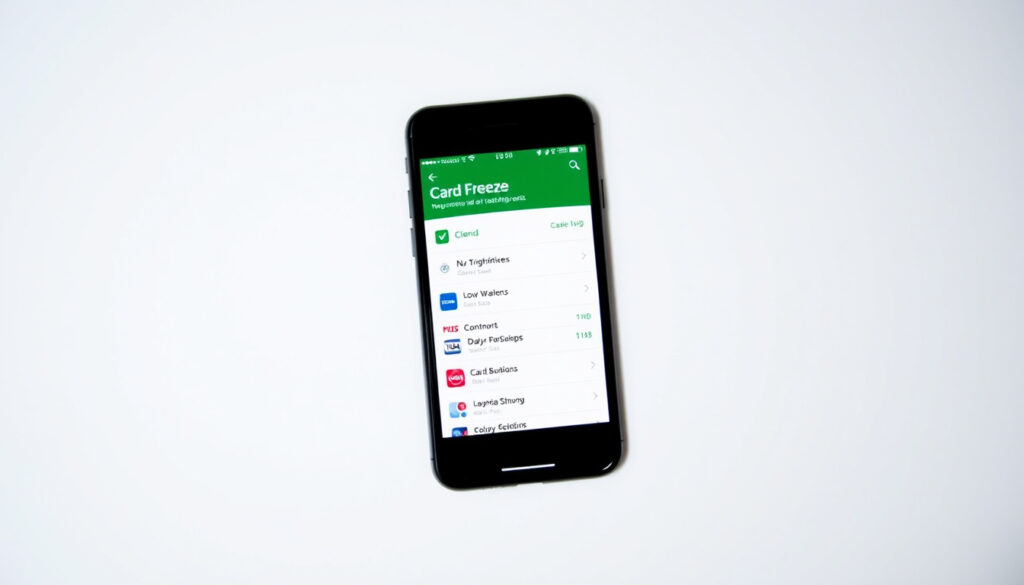
Lloyds Bank has integrated card security controls directly into its mobile app. The Card freezes and limits in the Lloyds mobile app support page details how customers can freeze and unfreeze their card instantly, as well as set different limits or restrictions on spending and transaction types.
How to freeze a lost or stolen Lloyds debit card instantly
To freeze a card, users navigate to Manage Card → Card freezes and limits and toggle the relevant freeze options. According to Lloyds, a full freeze blocks transactions including payments over the phone, mail order payments, and cash machine withdrawals for credit cards. However, it still allows refunds, balance transfers, money transfers, and recurring payments such as direct debits or subscriptions. If a customer turns gambling transactions back on, re-enablement takes 48 hours; other freeze changes take effect immediately. Lloyds says card freezes currently apply to debit and credit cards, but not cash cards. Joint account holders each control their own debit card freezes independently, and on credit cards only the primary cardholder can apply freezes.
How to view and manage upcoming direct debits
The Upcoming Payments feature provides a consolidated view of scheduled outgoings. Customers can see direct debits, standing orders, and other regular payments. The Further Ahead tab extends this view to less frequent bills, as described above. The app also allows users to manage subscription payments directly, following the route: log in, select your account, open the three-dot menu, then choose “Manage Subscriptions.”
The card freeze feature blocks most new transactions but keeps recurring payments like direct debits and subscriptions active. This means customers can secure a lost card without disrupting essential bills.
How do I download and set up the Lloyds mobile banking app?
The Lloyds mobile banking app is available for download on both iOS and Android platforms. According to the bank’s official mobile banking app page, the app is free for UK personal current account holders.
Downloading the app on iOS vs Android
On iOS, the app can be downloaded from the Apple App Store. The App Store listing describes the ability to freeze and unfreeze cards and freeze certain types of transactions. On Android, the app is available on the Google Play Store. Both platforms require iOS 14.5+ or Android 10+ for full feature compatibility.
How to register for online banking if you are a new user
New users can register for online banking by visiting the Lloyds Bank website. The registration process requires personal details and account information. Once registered, customers can log in to the mobile app using their online banking credentials.
Which other UK banking apps offer similar features?
Several UK banks now offer subscription management and card control features, but the depth of functionality varies. Lloyds’ approach appears to be incremental, building on tools launched over several years rather than a single major update.
Lloyds vs Halifax: mobile banking features compared
Halifax, which is part of the same banking group as Lloyds, offers a similar suite of features, including card freezes and the ability to view upcoming payments. However, the specific branding and naming of features, such as “Further Ahead,” appears to be unique to Lloyds. Feature parity between the two banks is high, but minor differences in menu navigation and notification settings exist.
Lloyds vs NatWest: subscription management and card controls
NatWest also provides subscription management tools and card freeze options within its mobile app. Lloyds’ subscription manager allows users to block or cancel debit-card subscriptions, while NatWest offers similar functionality. Both banks allow instant card freezes. The main difference lies in the presentation of infrequent bills: Lloyds’ “Further Ahead” tab is a distinct UI element, whereas NatWest integrates similar information into its standard transaction list.
While Lloyds does support international payments via the app, fees may apply. The level of integration of this feature with the new subscription management or Further Ahead tools is not specified in current documentation.
How have Lloyds’ mobile features evolved over time?
The bank has introduced mobile banking features in phases, rather than in a single launch.
- 2020: Lloyds announces the launch of a subscription management feature in its mobile app, allowing customers to view, manage, or amend subscription services. An initial pilot is followed by a rollout to iOS and Android users.
- 2023: Lloyds launches the card freeze feature, enabling customers to instantly freeze and unfreeze their debit and credit cards from the app.
- 2024: The subscription manager is updated and expanded, with improved visibility of recurring payments.
- 2025: The “Further Ahead” tab is introduced within the Upcoming Payments feature, displaying less frequent bills such as quarterly and annual payments.
What is confirmed and what remains unclear about these features?
Not all aspects of Lloyds’ new mobile banking features are fully documented. The table below separates established facts from areas where information is less clear.
| Established Information | Information That Remains Unclear |
|---|---|
| Card freeze works immediately on debit cards. | Whether card freeze applies to all credit card transaction types without exception. |
| The “Further Ahead” tab displays bills up to 12 months ahead. | The exact criteria for which payments automatically appear in the “Further Ahead” tab. |
| Manage Subscriptions allows blocking or cancelling debit-card subscriptions. | Whether subscription management works for payments made via direct debit, or only for debit-card payments. |
| Push notifications can alert users to subscription price increases. | The full list of transaction types that can be individually frozen (e.g., contactless, online). |
Why are these features being added now?
Lloyds’ latest mobile banking updates address a growing user demand for spending visibility and control, particularly for infrequent bills that can disrupt budgets. The features align with broader Open Banking trends and increasing competition from digital-only banks like Monzo and Starling, which have long offered granular transaction controls. Rather than a single “big launch,” Lloyds appears to be rolling out these capabilities incrementally, building on the subscription management tool first introduced in 2020 and the card freeze feature added in 2023.
“See ‘Further Ahead’, a new tab on the Upcoming Payments feature that displays your less frequent bills.”
— Lloyds Bank Official Website
“Freeze your cards, view upcoming payments, manage your subscriptions.”
— Apple App Store Description
What should you take away from this update?
Lloyds Bank has strengthened its mobile app with two practical tools: a subscription manager for controlling recurring debit-card payments and a “Further Ahead” tab for tracking quarterly, half-yearly, and annual bills. The card freeze feature provides instant security for lost or stolen cards. While some details, such as full credit card transaction coverage and international payment integration, remain unclear, the features represent a meaningful step toward greater financial visibility for UK personal banking customers. For step-by-step guidance, refer to the official Manage Subscriptions in the Lloyds mobile app help page and the Card freezes and limits in the Lloyds mobile app help page.
How do I log in to Lloyds online banking?
Visit lloydsbank.com and use your login details registered for online banking. If you are a new user, you must first register for online banking on the website.
Is the Lloyds mobile banking app free to use?
Yes, the app is free for UK personal current account holders. Standard data charges from your mobile provider may apply.
Can I use Lloyds mobile banking for international payments?
Yes, you can make international payments via the app, though fees may apply. The process is separate from the subscription management or Upcoming Payments features.
Does the card freeze feature work for contactless payments?
A full card freeze blocks all transaction types, including contactless. However, specific restrictions on individual payment methods like contactless are not detailed in the current documentation.
Can I cancel a subscription immediately using the app?
Yes, the Manage Subscriptions feature allows you to block, unblock, or cancel debit-card subscription payments directly from the app. Direct debit subscriptions may need to be managed separately.
Will the ‘Further Ahead’ tab show bills from other banks?
No, the feature is limited to payments visible on your Lloyds account. It does not integrate with Open Banking to show bills from other banks at this time.
How do I find the ‘Further Ahead’ tab in the app?
Log in to the Lloyds mobile banking app, navigate to the Upcoming Payments section, and look for the “Further Ahead” tab. It should be visible alongside the standard list of upcoming payments.
What happens if I freeze my card and then find it?
You can unfreeze your card instantly by going to Manage Card → Card freezes and limits and toggling the freeze option off. The change takes effect immediately.
Are these features available on both iOS and Android?
Yes, both the subscription manager and card freeze features are available on iOS (14.5+) and Android (10+). The Further Ahead tab is also available on both platforms.
Does Lloyds plan to add credit card freeze to the app?
Card freezes already apply to credit cards, but only the primary cardholder can apply freezes. Joint account holders control their own debit card freezes independently. Documentation does not specify plans for additional credit card controls.
More related posts
 FTSE Global All Cap Index – Comprehensive Guide to Global Equities
 Boots Ear Wax Removal Near Me – £60 Microsuction Guide
 BT Yahoo Email Login – Official Guide and Fixes
 Jason Momoa Movies and TV Shows – Full List in Order
 Work from Home Jobs UK – No Experience Remote Roles
 Joely Richardson Movies and TV Shows – Complete Guide to Her Career
 How to Return on SHEIN – Complete Guide for UK Shopper
 Most Liked Instagram Post – Messi’s World Cup Record